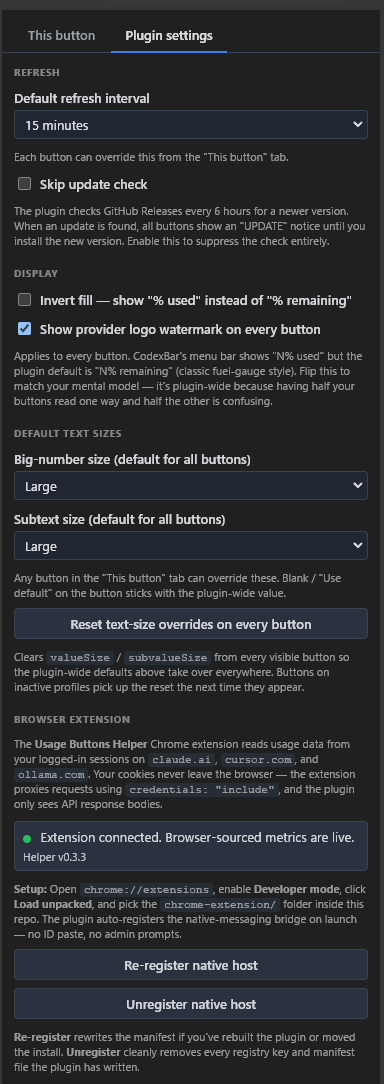
Plugin defaults
Set refresh, display, fill direction, colors, thresholds, and text sizes across the plugin.
Live on your Stream Deck
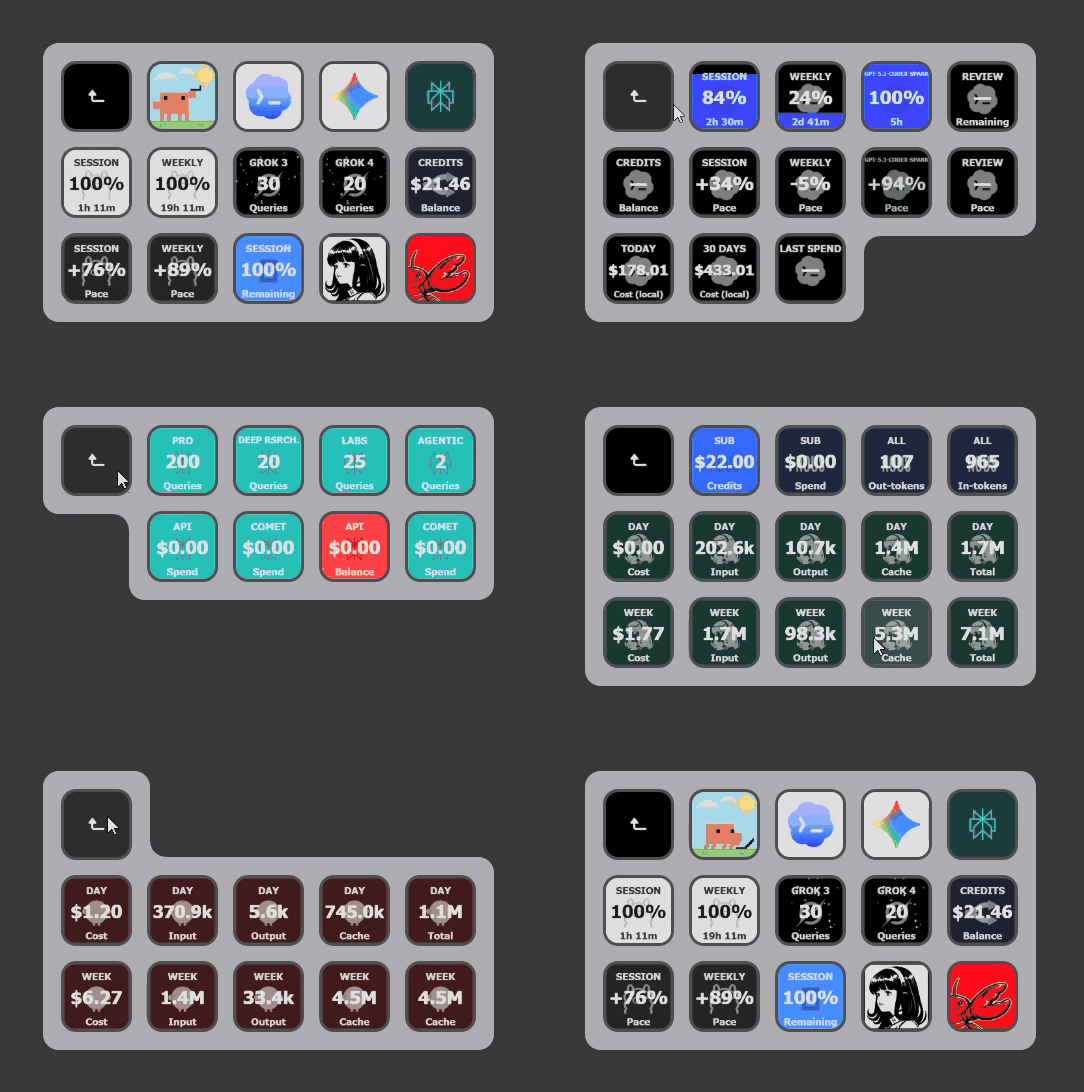
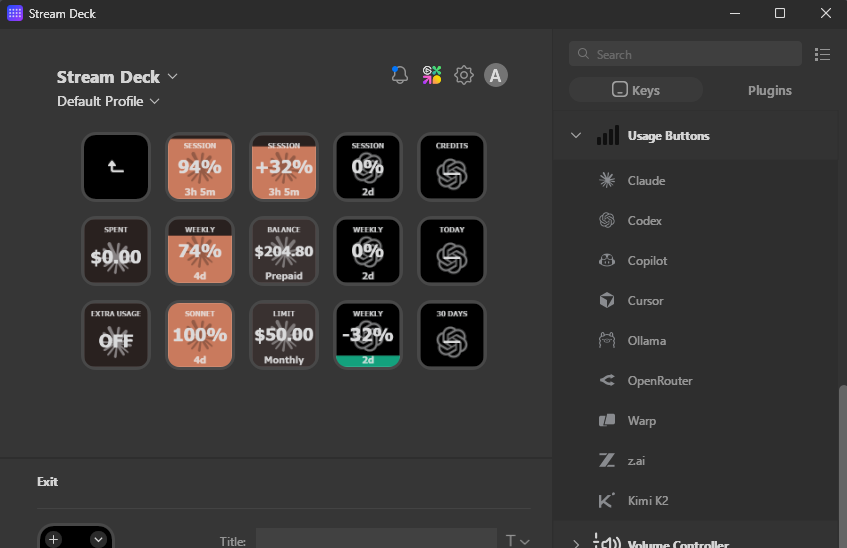
Put session and weekly limits, balances, spend, reset countdowns, pace, and per-model quotas where you can see them—on physical keys that fill and drain as your usage changes.
At a glance
Each key is a compact instrument: the number tells you exactly where you stand, the fill shows the ratio, the label names the metric, and the subvalue keeps the next reset or useful detail close.
A broad control surface
 Claude
 Codex
Codex Copilot
 Cursor
 Gemini CLI
 OpenAI
 OpenRouter
 Anthropic
 DeepSeek
 Perplexity
 Ollama
 AWS Bedrock
 Abacus AI
 Alibaba
 Alibaba Token Plan
 ai&
ai&
 Amp
Anthropic
Amp
Anthropic
 Antigravity
 Augment
 Azure OpenAI
AWS Bedrock
Azure OpenAI
AWS Bedrock
 Chutes
Claude
Chutes
Claude
 ClawRouter
 ClinePass
 Codebuff
Codex
Codebuff
Codex
 Command Code
Copilot
Command Code
Copilot
 Crof
Cursor
Crof
Cursor
 Deepgram
 DeepInfra
DeepSeek
DeepInfra
DeepSeek
 Devin
Devin
 Doubao
 ElevenLabs
 Droid / Factory
Gemini CLI
Droid / Factory
Gemini CLI
 Grok
Grok
 Groq
Groq
 Hermes Agent
 JetBrains AI
 Kilo
Kilo
 Kimi Code
 Kimrel
 Kiro
Kiro
 LiteLLM
 LLM API Key Proxy
 LongCat
 Manus
Manus
 Xiaomi MiMo
 MiniMax
 Mistral
 Kimi Platform
 Neuralwatt
 Nous Research
Ollama
OpenAI
Nous Research
Ollama
OpenAI
 OpenClaw
 OpenCode
OpenRouter
Perplexity
OpenCode
OpenRouter
Perplexity
 Poe
Poe
 Qoder
Qoder
 Sakana AI
 StepFun
 sub2api
 Synthetic
 T3 Chat
 Venice
 Vertex AI
 Warp
Warp
 Wayfinder
 Windsurf
 GLM Coding Plan
 Zed
Zed
 ZenMux
Usage Buttons tracks the current CodexBar provider catalog, with documented folds and UsageButtons-only providers. Available metrics and auth methods vary by provider. Kimi Code and Kimi Platform are separate actions. The GLM Coding Plan action is likewise separate from z.ai Open Platform PAYG; an Open Platform balance action remains gated because z.ai's official API index publishes no account telemetry endpoint.
Set it once—or tune every key
Choose a consistent deck-wide look, specialize a provider, then override only the button that needs different behavior. Each layer inherits everything you leave untouched.
Set refresh, display, fill direction, colors, thresholds, and text sizes across the plugin.
Give one provider its own visual rules, thresholds, source settings, or refresh behavior.
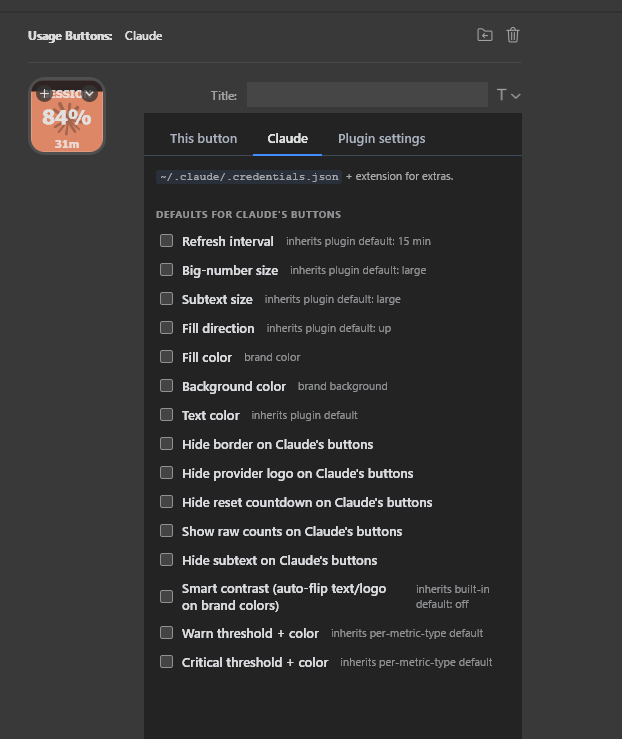
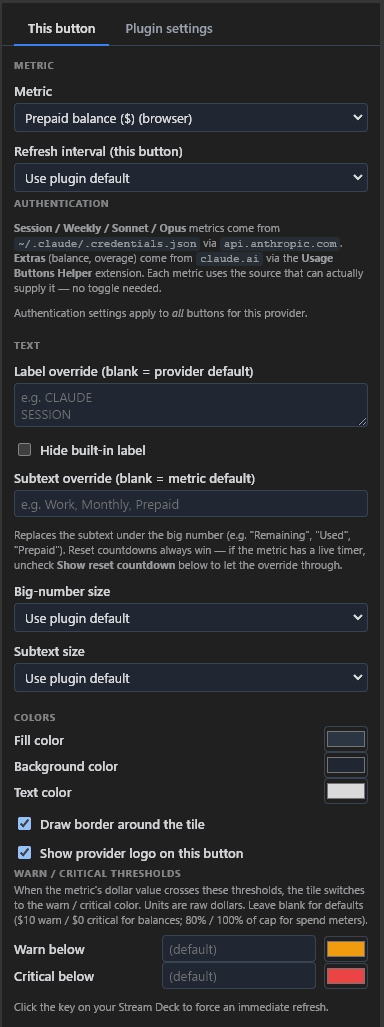
Pick the metric and customize only this key without disturbing its provider or the rest of your deck.
Inheritance: plugin defaults → provider defaults → button overrides. The closest explicit setting wins.
Transparent by design
There is no pretend universal login. Usage Buttons uses documented keys where available, existing local CLI sign-ins where appropriate, and an optional browser Helper for providers whose usage lives behind a web session.
Some providers reuse the credentials or local usage data from tools you already run, such as Claude Code, Codex, Gemini CLI, or Kiro.
API-key and admin-reporting providers are configured in their Provider tab or through the documented environment variable.
Browser-backed metrics use your signed-in Chromium session. Install the unpacked extension only when one of your chosen providers needs it.
Install
Download the .streamDeckPlugin bundle for your system, then double-click it to install in Stream Deck.
Prefer to inspect everything first? Open the latest release page.
Only for browser-backed providers:
chrome://extensions, edge://extensions, or brave://extensions.manifest.json.Keep the browser running for browser-backed metrics. The plugin registers its native bridge after the unpacked Helper is loaded.
Drag a provider action—Claude, Codex, Copilot, or any other supported provider—onto a key. Pick the metric in the Property Inspector and add the provider credentials or source settings it requests.
Starter profiles included: the plugin auto-installs a matching catalog profile for supported Stream Deck keypad devices on a fresh install.
Bring your AI usage limits into the same physical workspace where you launch the tools.